A tax rate is a named percentage. You set up the rates your business charges once, point each outlet at the one it normally uses, and only override it on the few products that are taxed differently.
Go to Settings > Sales tax in the back office. The table lists every rate with its Rate, its Min. item price, and under Default for, the outlets that use it.
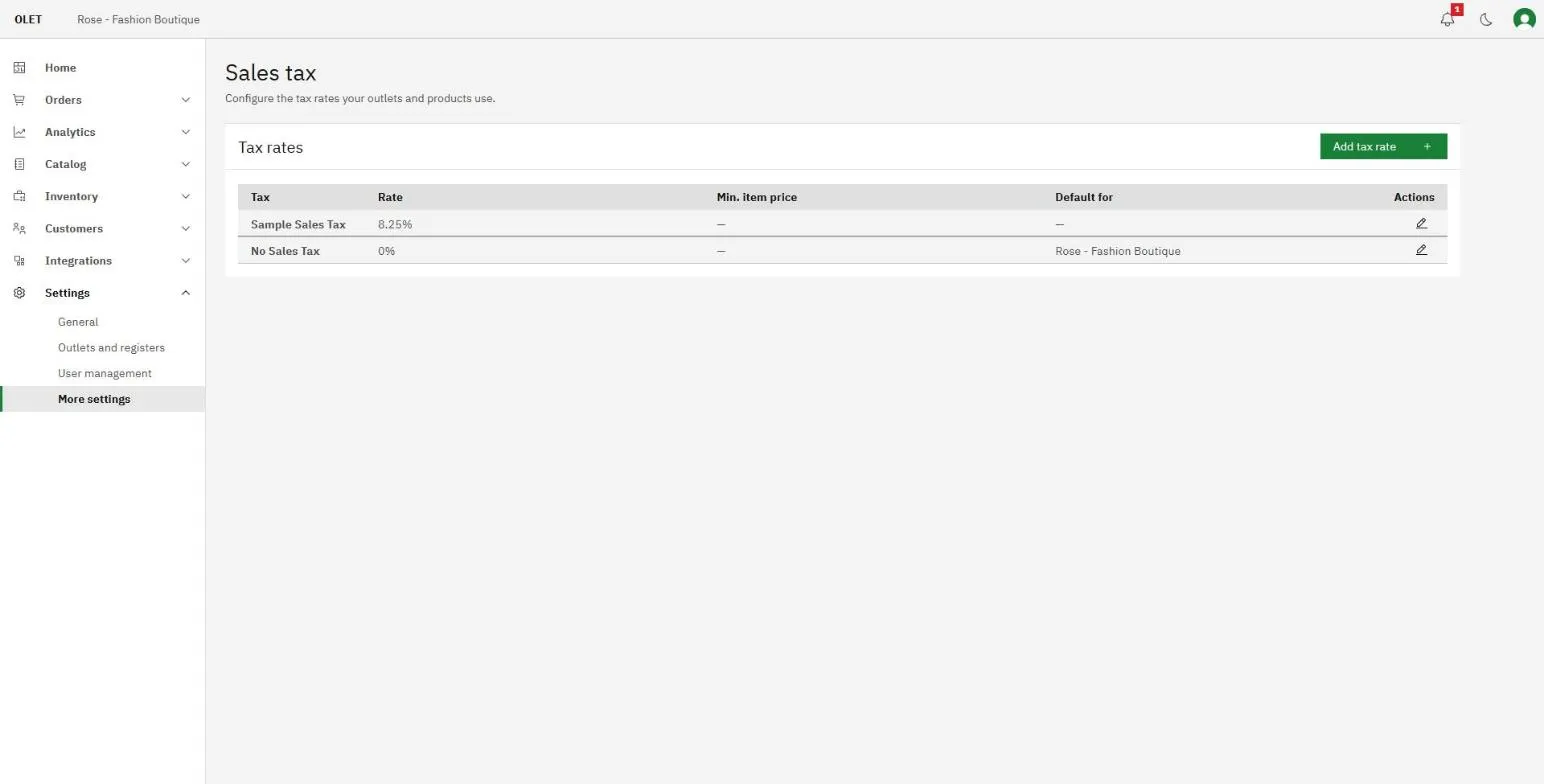
Add a tax rate
Section titled “Add a tax rate”- Select Add tax rate.
- Enter a Tax name. Use the name a customer would recognize on a receipt, such as
State Sales Tax. - Enter the Rate (%) as a percentage, so
8.25for eight and a quarter percent. - Leave Min. item price ($) at zero unless this rate only applies above a threshold. If you set one, the tax applies to an item only when its price is at or above that amount.
- Select Add tax.
The edit icon on a row opens Edit tax rate. There you can rename the tax, but the Rate (%) and Min. item price ($) are locked once a rate exists. To charge a different percentage, add a new rate, point your outlets and products at it, and delete the old one.
Which rate a sale uses
Section titled “Which rate a sale uses”Tax is decided per outlet, then per product.
- Every outlet has a Default tax, chosen when you add the outlet. That is the rate everything sold there uses. See Outlets and registers.
- A product can override it. On the product, each outlet’s stock row has a Tax override dropdown, so a product that is zero rated can be zero rated in one place without touching anything else.
There is no separate tax group to build. The outlet default plus the per product override is the whole rule.
OLET adds tax on top of the price you set. There is no setting for prices that already include tax.
Delete a tax rate
Section titled “Delete a tax rate”You cannot delete a rate and leave the things using it with nothing.
- Open the rate with the edit icon.
- Select Delete tax rate.
- Pick a Replacement tax. Every outlet and product on the old rate moves to this one.
- Select Replace and delete.
Check the Default for column before you start, so you know which outlets are about to move.
If it goes wrong
Section titled “If it goes wrong”If the delete button will not run, no replacement is picked yet. The replacement is required, not optional.
If a sale is taxed at a rate you did not expect, look at the product before the settings. A Tax override on the product’s stock row for that outlet beats the outlet’s default every time.