A clothing store POS that knows every size and color you stock
Olet runs your register and the clothing store inventory behind it. Every size and color has its own SKU, price and stock count, store by store. You can follow a jacket from the purchase order to the sale.

Sizes and colors
Set up a style once, then sell every size and color
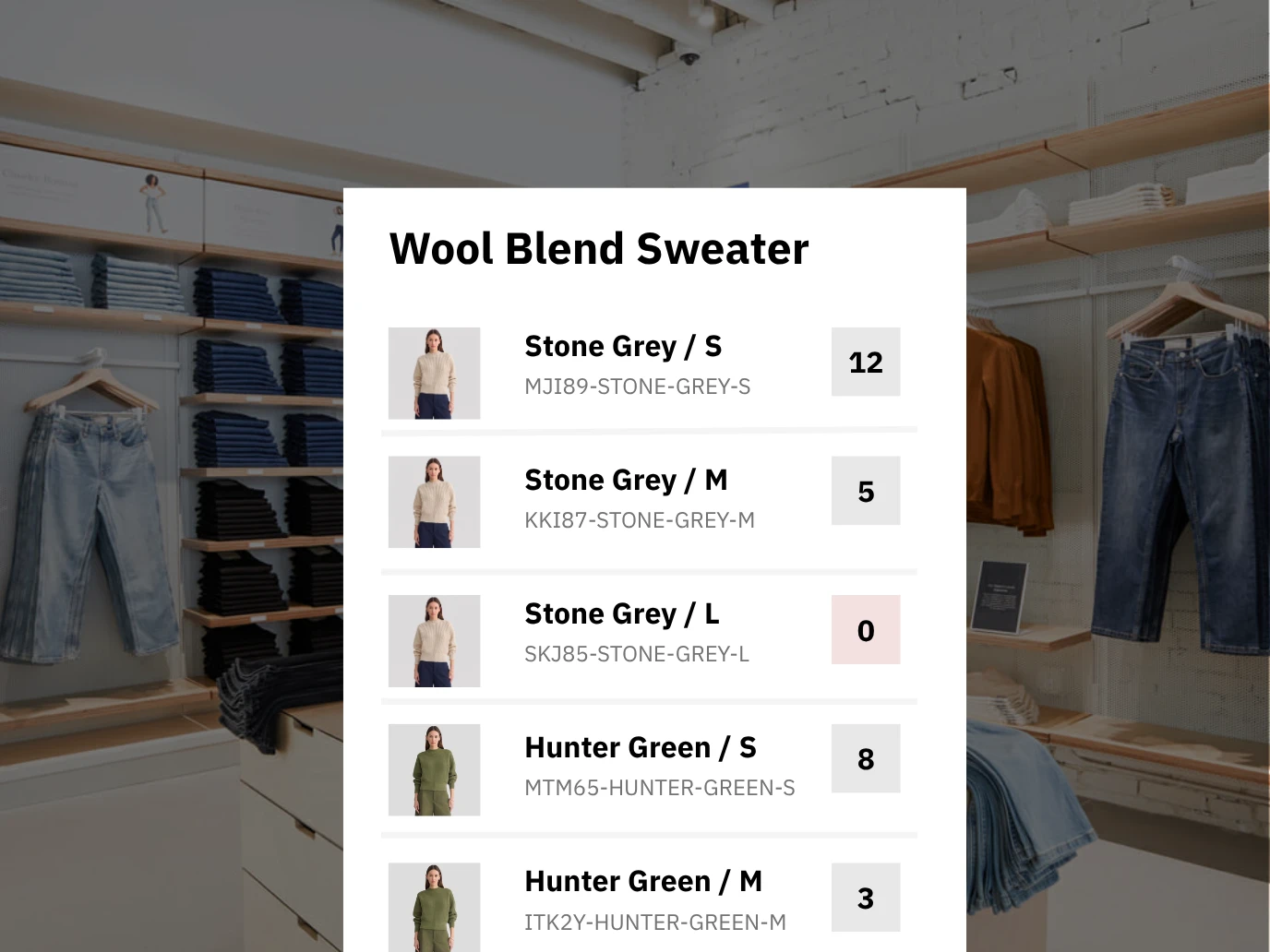
Give a product up to three attributes, such as size, color and material. One product holds up to 200 variants. Each variant has its own SKU, price and stock count, so a medium in navy stays separate from a medium in olive.
- Up to 3 attributes per product, such as size, color and material
- Up to 200 variants per product
- A separate SKU, price and stock count for every variant
- Categories with subcategories, plus brand, tag and supplier
- Tags for season or collection, for example "Fall 2026"
- Product sets built from categories, brands, tags and suppliers
On the floor
Your best-selling sweater comes in five sizes and three colors. That is 15 SKUs, and each one has its own count.
Moving in
Bring your products over from a spreadsheet, Shopify or WooCommerce
Olet imports products from a CSV file, Shopify or WooCommerce. A CSV import creates new products and updates existing ones by SKU, so you can fix a column and run the file again.
- Import products from a CSV file
- Run the same file again to update products, matched by SKU
- Import your catalog from Shopify or WooCommerce, and new products keep coming in
- One SKU per size and color, so every variant keeps its own count
Coming from Square
Export your item list from Square as a spreadsheet with one row per SKU and import it into Olet as a CSV. You can keep Square as your card processor.
Buying and receiving
Reorder what sold, and receive what actually showed up
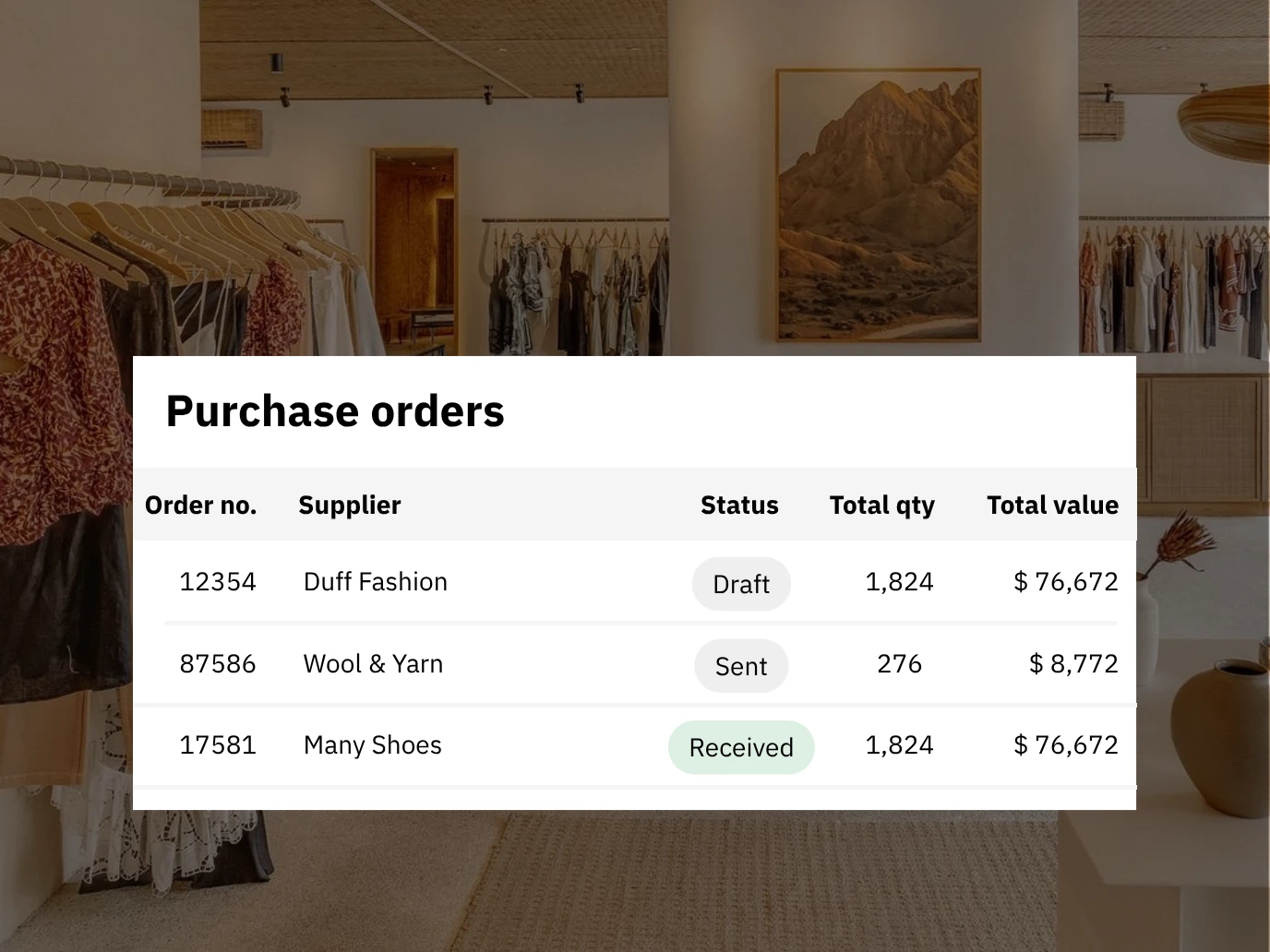
Set a reorder rule for each product in each store: a fixed quantity, or a min and max. Olet drafts the purchase order from those rules. You review it, export or print it for your vendor, and receive against it when the boxes arrive.
- Supplier records with billing and shipping details
- Supplier price and supplier code on each product
- Reorder rules per product, per store: fixed quantity or min/max
- Purchase orders drafted from your reorder rules
- Receive part of an order now and the rest later
- Close an order short and the shortfall stays on record
- Export a purchase order to CSV or PDF, or print it
- Return stock to a supplier
Short shipments
The vendor sent 4 mediums instead of 6. Receive the 4, close the order short, and the 2 missing stay visible on the purchase order.
Stock by store
Clothing store inventory with a record of every change
Olet tracks stock per store. Every change writes a movement line: how many, in or out, which store, the date, and who made it. When a count looks wrong, the history shows what happened.
- A stock count for each variant in each store
- Transfers between stores
- Adjustments need a reason from your own list, such as damaged or count correction
- Movement history for every product, with who and when
- A low-stock report for deciding what to reorder
- Reports you can group by category and by tag
Two stores
A customer wants the olive cardigan in a small. You have none, and your other store has two. Transfer one over, and the movement line shows who sent it and when.
Shopify and WooCommerce
One stock count for the shop floor and the website
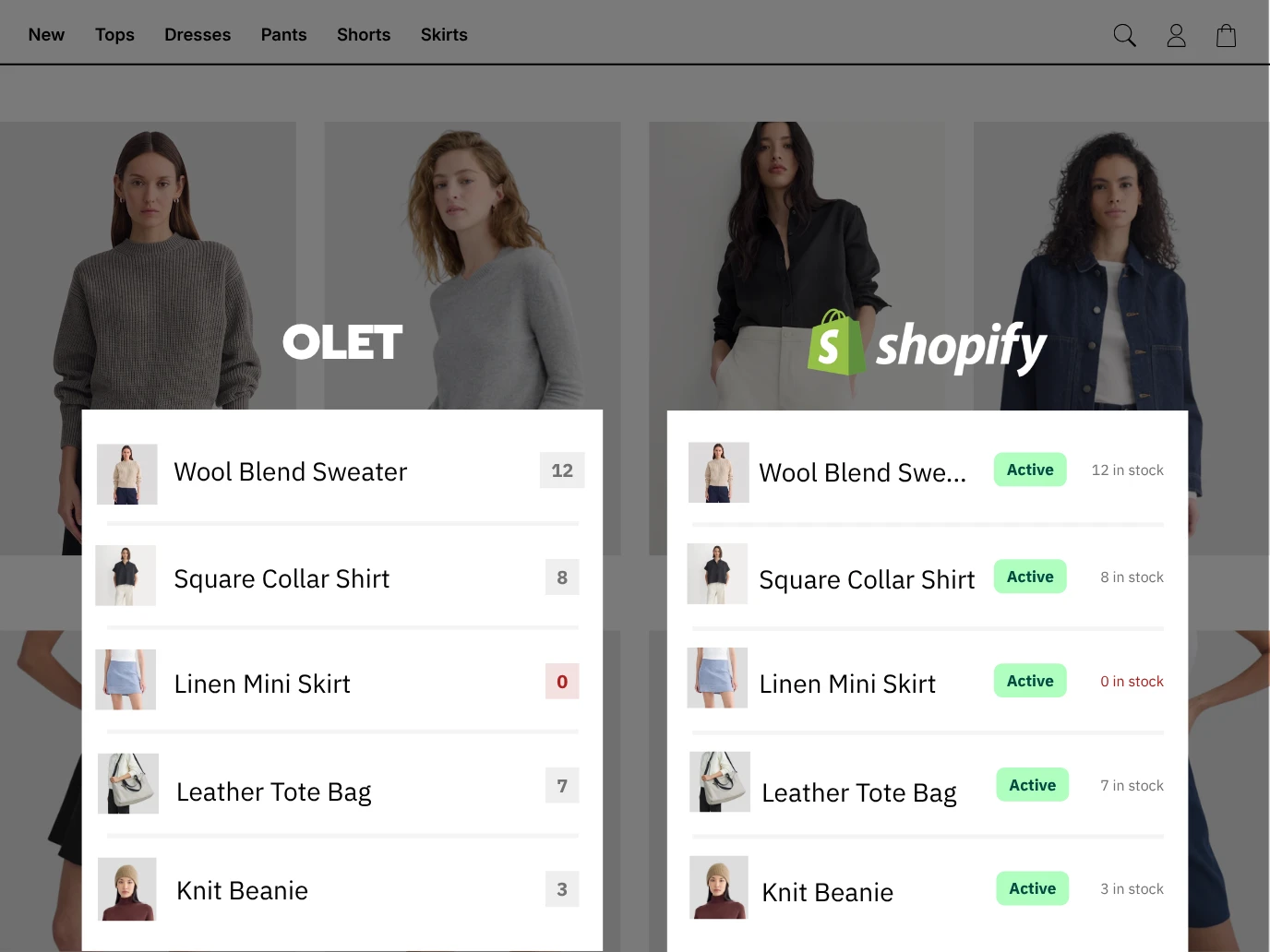
Connect your Shopify or WooCommerce store and stock syncs both ways. New products you add online come into Olet too. A sale at the register reaches your online store in about a minute. Stock sold online comes back to Olet. Every night, Olet reconciles the two.
- Two-way stock sync with Shopify
- Two-way stock sync with WooCommerce
- Stock changes in Olet reach your online store about every minute
- Changes made online come back to Olet
- A nightly reconcile catches anything that drifted
- New products added online keep coming into Olet
Checkout
Park the sale while they try another size
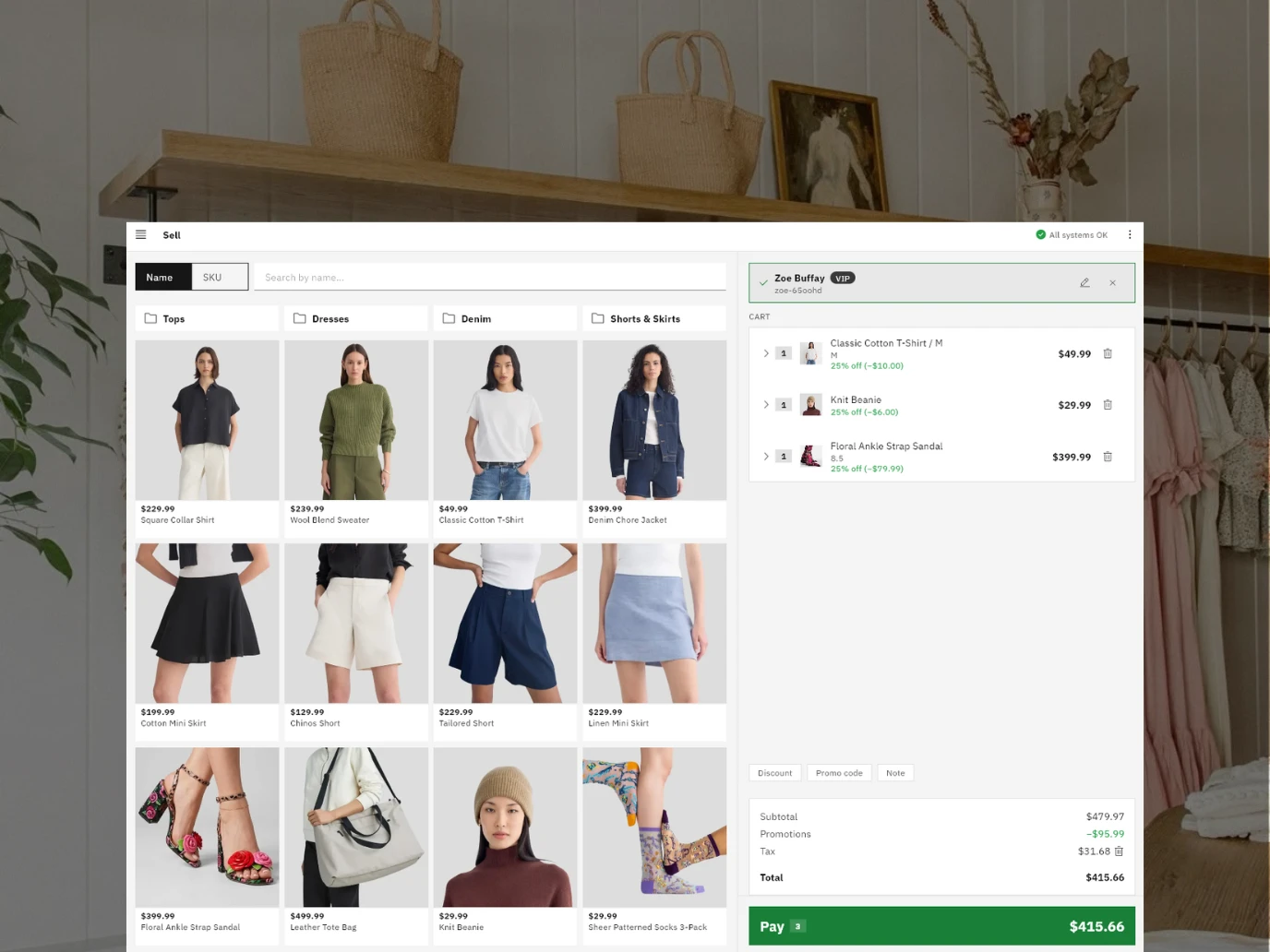
Scan the tag with a barcode scanner or the device camera. Promotions apply on their own or by code. When a customer goes back for another size, park the sale and ring up the next person in line.
- Scan with a barcode scanner or the camera
- Promotions apply automatically or by code
- Price overrides and discounts limited by role permission
- Park a sale and pick it up later
- Void a sale before payment is recorded
- Cash, cards, tap (NFC) and gift cards
- Split one sale across more than one payment method
- Manual payment methods for anything else you accept
- Receipts printed or emailed
- Find past sales by customer details or receipt number
Returns and exchanges
Returns and exchanges that start from the original sale
Find the sale by receipt number or customer details. Pick the items coming back, all of them or only some. Refund to the original payment method, or put the amount on a gift card as store credit.
- Start a return or exchange from the original sale
- Return part of a sale
- Refund to the original payment method
- Refund to a gift card as store credit
- Refunds need the right role permission
- Manager override when a return needs sign-off

Markdowns and promotions
Set the markdown once and let the register apply it
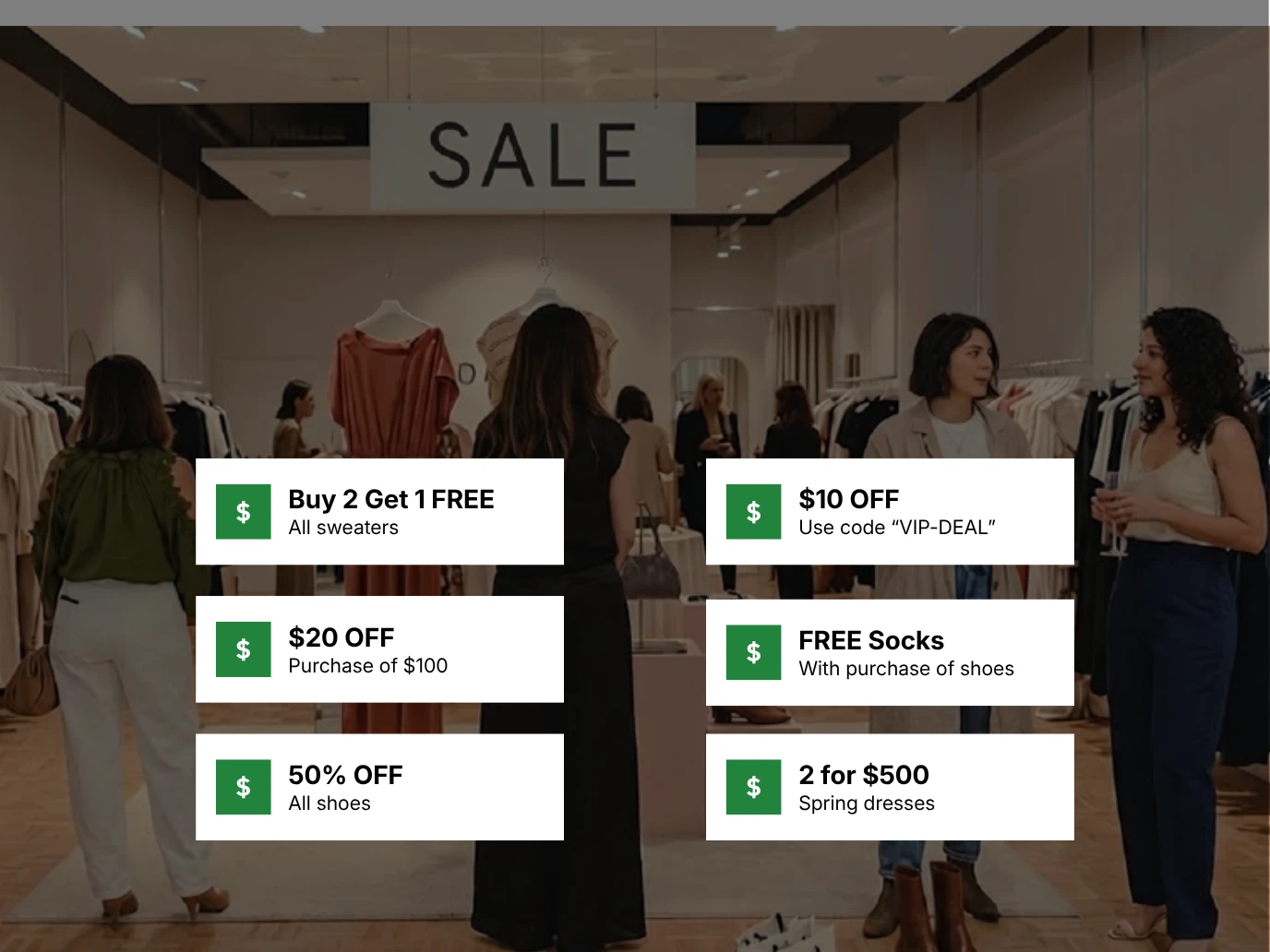
Make end-of-season clearance a promotion on a tag, with an end date. Make a weekend deal a promotion for your regulars' customer group. Staff ring up the sale as usual, and Olet applies the right price.
- Percent off, amount off, fixed price and group price
- Buy X Get Y
- Quantity and spend thresholds
- Target by category, brand, tag, supplier or SKU
- Limit an offer to one store or one customer group
- Schedule by dates, or by recurring days and times
- Cap redemptions in total and per customer
- Set stacking and priority when promotions overlap
- Price books by store, customer group and date
Pick your own card processor
Olet does not process payments itself. You connect Square, PayPal Zettle or Stripe, and your card rates are between you and that processor. Your products, stock and sales history stay in Olet whichever one you use.
- Cash
- Square
- Stripe
- PayPal Zettle
- More on the way
What Olet does for a clothing store
Sizes and colors
- Up to 3 attributes
- Up to 200 variants per product
- SKU, price and stock per variant
- Categories, brands and tags
- CSV, Shopify and WooCommerce import
Stock and buying
- Stock per store
- Transfers between stores
- Movement history
- Reorder rules
- Purchase orders and receiving
Selling
- Barcode or camera scan
- Park and resume
- Split tender
- Gift cards
- Printed or emailed receipts
After the sale
- Sales history search
- Returns and exchanges
- Store credit on a gift card
- Low-stock report
- Reports by category and tag
Promotions
- Buy X Get Y
- Customer groups
- Offers by store
- Schedules
- Stacking and limits
Frequently asked questions
How do I manage inventory for a clothing store?
Track every size and color as its own SKU with its own stock count, in each store. In Olet, each variant has a separate SKU, price and count. Every stock change, from a sale to a transfer or an adjustment, writes a movement line, so the count on screen has a history you can check.
What should I look for in clothing store POS and inventory software?
Start with how it handles sizes and colors: each variant needs its own SKU and stock count. Then check buying (reorder rules, purchase orders, receiving a short shipment), sync with your online store, returns from the original sale, and whether you can choose your card processor.
How does Olet handle sizes and colors?
Each product can have up to three attributes, such as size, color and material, and up to 200 variants. Every variant gets its own SKU, price and stock count. You can also organize products by category, brand, tag and supplier.
Can I move my products over from a spreadsheet?
Yes. Save your spreadsheet as a CSV file with one row per SKU and import it. The import creates new products and updates existing ones by SKU, so you can correct the file and import it again.
I use Square now. Can I switch to Olet?
Yes. Bring your items over as a CSV file with one row per SKU. You can keep Square as your card processor, because Olet connects to it for payments.
Does Olet work with Shopify and WooCommerce?
Yes. Olet imports your catalog from Shopify or WooCommerce, and new products you add online keep coming into Olet. Stock syncs both ways. Stock changes in Olet reach your online store about every minute, changes made online come back to Olet, and a nightly reconcile catches anything that drifted.
Can I keep my own card processor?
Yes. Olet does not process payments itself. You connect Square, PayPal Zettle or Stripe, and you also take cash, gift cards and manual payment methods at the register.
How do I count stock in Olet?
Count the shelf and the back room by hand, then enter any difference as a stock adjustment. Each adjustment needs a reason from your own list, such as count correction, and records who made it and when. Olet has no separate counting screen, so count one category or tag at a time. Each batch of adjustments stays small enough to check before you enter it.
How do I reorder sizes that sell out?
Set a reorder rule on the product for each store, either a fixed quantity or a min and max. Olet drafts purchase orders from those rules for you to review. The low-stock report shows what is running low.
Can I see stock for each of my stores?
Yes. Olet keeps a stock count for every variant in every store. You can transfer stock between stores, and each transfer shows in the movement history with who made it and when.
How do returns and exchanges work?
Staff start the return or exchange from the original sale, found by receipt number or customer details. They can return part of a sale and refund to the original payment method or to a gift card as store credit. Refunds need the right role permission, and a manager can override when needed.
Start or switch, effortlessly
Use our built-in Square, Lightspeed X, and Shopify migration tools, or let our team handle your entire setup for free.