Your plan and what it includes
Settings > Billing is the one page that answers what you are on, what it covers, what you are using, and how you pay. Every figure on it is your own store’s.
Billing is part of Settings, so whoever manages your store settings can open it. Prices, invoices, and the card itself are held by Paddle, the name on your statement, not in this page, and there is a button here that takes you to them.
What the page shows
Section titled “What the page shows”The page reads top to bottom, in four parts.
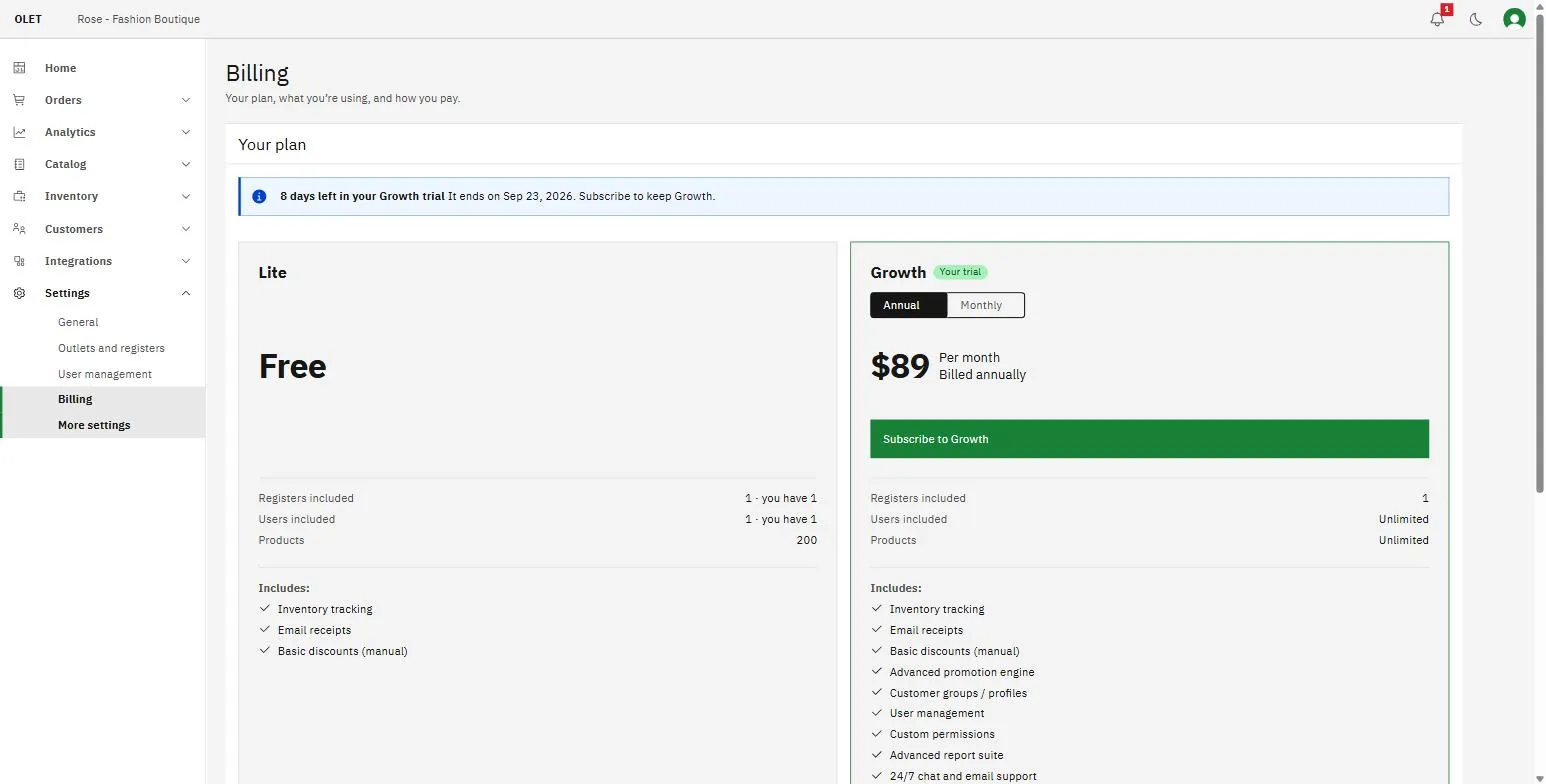
- Your plan. Your plan, your status, and your renewal date. If anything needs your attention, such as a failed payment or a trial about to end, the message sits at the top of this section with the one button that fixes it.
- What you’re using. Four tiles: users, outlets, registers, and products. Each one is a live count against what your plan allows.
- What your plan includes. A single list of the features and allowances on your plan. On a page where you have not chosen a plan yet, this is replaced by Compare plans, a side by side table you can open.
- Account. Where billing notices go, the way through to your invoices and card, the plan changes you can make, and closing your account.
Your status, in one word
Section titled “Your status, in one word”The Status row is the fastest read on the page.
- Active. You are on a paid plan and nothing needs doing. The Renews row tells you the next date and whether you are billed monthly or annually.
- Trial. You are inside your free trial. Trial ends is the date, and the notice above counts the days down for you.
- Ending. You have canceled and the plan runs to the date shown. Nothing changes before then.
- Closing. The primary admin has closed the account and it shuts on the date shown in the Closes row. Until then the page offers Keep my account. See Close your OLET account and delete data.
- Paused. You paused the store yourself. Nothing is being billed.
- Payment failed. We could not take payment, but the store keeps selling for now. See Payment details and invoices.
- Suspended. Payment stayed unresolved past the date we gave you. Selling and the back office are locked until a payment goes through. See Payment details and invoices.
- Needs attention. Something is over your plan’s limits, usually users. See Outlets, registers, and usage charges.
What an included allowance means
Section titled “What an included allowance means”An included allowance is the number your plan covers before anything is added to your bill. The tile shows what you have and what is included, so “2 of 1” means one of those is beyond your allowance.
Going over an allowance does not stop you working, and nothing is ever deleted for being over. What happens next depends on the unit:
- Users are a hard limit. Over it, you get a period of grace to fix it, and after that the registers and the back office lock until you are back inside the limit or on a plan that covers everyone.
- Outlets and registers are counted and charged. See Outlets, registers, and usage charges.
- Products over a limit stay in your catalog and stay sellable, but you cannot edit them or add more until you are under the limit.
Your trial
Section titled “Your trial”A new store starts on a free trial that runs for 14 days, with nothing to pay and no card asked for. The Billing page counts it down for you and tells you the date it ends, and the last few days are shown as a warning rather than as a note.
There is no plan to choose at signup. You pick one from this page, at any point during the trial or after it. If the trial ends without a plan chosen, your data stays exactly as it is and the store asks for a plan before anyone can sell again.
To choose a plan, see Change or pause your plan.
Features that depend on your plan
Section titled “Features that depend on your plan”Several features across OLET are switched on by the plan you are on, and the article for each one says so.
The What your plan includes list on this page is the definitive answer for your store. If a feature is not in that list, it is not part of your plan today.
If it goes wrong
Section titled “If it goes wrong”- Your billing details could not be loaded. The page could not reach us. Select Retry, and if it keeps happening email support@getolet.com.
- No plan is available to buy right now. Email support@getolet.com and we will set it up.
- The page opens but nothing can be saved. Billing needs the same permission as the rest of Settings. Ask an admin to make the change, or see Users and roles.